 HazelJS
Introducing Agent OS: Production Lifecycle for HazelJS Agents
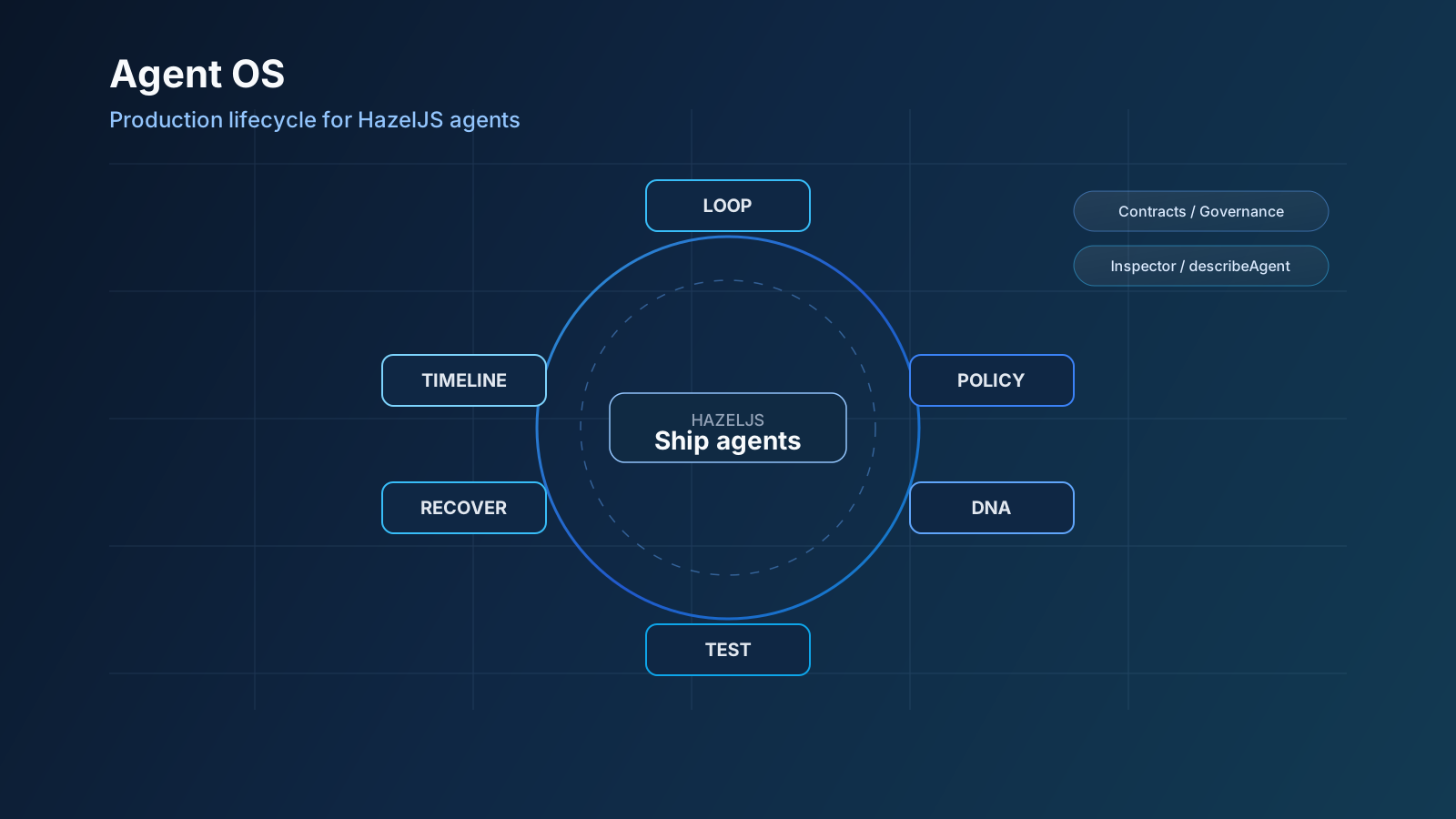
We are releasing Agent OS — confidence loops, policies, contracts, recovery, DNA, governance, Inspector timelines, and describeAgent CI inside the same HazelJS TypeScript backend.
Orchestration graphs get agents running. Production is a different problem: retries that don't invent refunds, PII that never reaches a tool, SLOs with a real fallback, a timeline ops can watch, CI that fails when tool trajectories drift, and a package format you can hot-reload without rewriting the app.
Today we're releasing Agent OS — the production lifecycle layer for HazelJS agents, built into @hazeljs/agent with @hazeljs/testing, @hazeljs/benchmark, and @hazeljs/inspector.
HazelJS already ships an AI-native TypeScript backend (HTTP, DI, agents, RAG, workflows). Agent OS is the operating system around those agents — in the same app, not bolted onto Express with a separate eval service.
Why Agent OS?
Most agent frameworks optimize for how steps connect. Teams shipping to production get stuck on how agents behave under policy, load, and change:
- Flaky quality after a single Think→Act pass
- HITL and PII masking bolted on as ad hoc middleware
- No SLO story when latency or cost blows up
- Incidents with chat logs instead of a step-level timeline
- Regressions that slip because evals live in another repo
- Agent config that only exists as tribal knowledge
If you only need a graph for a prototype, an orchestration library is enough. If you need agents next to your APIs in production, you need an operating system around them.
How is this different?
| Typical agent / graph libs | Nest / Express + AI kits | HazelJS Agent OS | |
|---|---|---|---|
| Primary job | Orchestrate LLM steps / multi-agent graphs | Host HTTP; AI is DIY | Host the app and the agent lifecycle |
| Lifecycle | You build retry, HITL, eval, dashboards | You build everything | Loop, policy, contract, recovery, DNA, twin, governance, timeline, CI |
| Observability | External product or thin traces | DIY APM | Inspector SSE timelines + OTel hooks |
| CI for agents | Separate eval harness | Bring your own | describeAgent in @hazeljs/testing |
| Packaging | Prompts in git / notebooks | Config sprawl | Agent DNA export / hot-reload / install |
LangGraph, CrewAI, AutoGen, Mastra, and similar tools shine at graphs and research multi-agent patterns. They leave production glue to you.
NestJS + LangChain (or Vercel AI SDK) gives you a strong backend shape, then asks you to invent the agent OS yourself.
HazelJS ships both stories in one stack: an AI-native backend for the app, and Agent OS for the agents inside it.
Orchestration gets agents running. Agent OS gets agents shippable.
What's in the box
Confidence loop
Plan → execute → critique → validate until a success score. Wrap any agent run with options.loop.
Rich state machine
Subscribe with onState / onStateChange. States cover planning, tools, approvals, retries, blocked waits, validating, and terminal outcomes — without polling.
Policies and HITL
PolicyEngine: allow / deny / mask / require_approval on tools (for example, refunds). PII masking helpers included.
Contracts and recovery
options.contract for SLO / I/O checks with a fallbackAgent. options.recovery for retry → fallback → fail.
Cost and governance
options.costRoute for model selection under budget. GovernanceGate for roles, residency, and compliance packs.
Visual timeline
Inspector streams every step: live SSE, JSON replay, and optional FileTimelineStore.
Agent DNA and digital twin
Agent DNA is a versioned JSON snapshot of an agent (prompt, tools, policies, contracts). Export it for audit, hot-reload it onto a live runtime, or wrap it as a marketplace package and installAgentPackage / hazel agent install from disk.
Digital twin runs a shadow agent on the same input, compares outputs (Jaccard similarity), and always returns the primary result — canary without risking the user path. Use shouldRunCanary(rate) to sample traffic.
Deep dive: Agent OS guide → DNA · Digital twin.
Testing and benchmarks
describeAgent suites with latency, cost, and tool-trajectory gates. hazel benchmark for baselines.
Quick start
Install what you need:
npm install @hazeljs/agent @hazeljs/testing @hazeljs/inspector
Wire Agent OS options on execute:
await runtime.execute('support-desk', message, {
  loop: { maxIterations: 4, successScore: 90 },
  contract: {
    name: 'support-slo',
    maxLatencyMs: 30_000,
    fallbackAgent: 'safe-desk',
  },
  recovery: { maxRetries: 2, fallbackAgent: 'safe-desk' },
  costRoute: { qualityBias: 0.35, maxCostUsd: 0.05 },
  governance: {
    action: 'agent.execute',
    roles: ['agent:run'],
    residency: 'eu',
    compliancePacks: ['soc2'],
  },
});
Subscribe to state:
runtime.onState('planning', (e) => {
  console.log('planning', e.executionId);
});

runtime.onStateChange((e) => {
  console.log(`${e.from} → ${e.to}`);
});
That options object is the product thesis: lifecycle is not a second repo — it's arguments on execute plus modules you already import.
Observe in Inspector
Open /__hazel, pick an agent, click Timeline or Run. Register @Agent classes as @Service() providers with AgentModule so the Agents panel can discover them.
| Endpoint | What it does |
|---|---|
GET /__hazel/agents/:name/stream | SSE live steps |
GET /__hazel/agents/:name/timeline | JSON replay |
POST /__hazel/agents/:name/run | Execute from the UI |
curl -N http://localhost:3000/__hazel/agents/support-desk/stream
Test in CI
import { describeAgent, runAgentSuite, expectTools } from '@hazeljs/testing';
const suite = describeAgent('Support Desk', ({ test }) => {
test('tracks ORD-1001', async ({ run }) => {
const result = await run('Where is my package for ORD-1001?');
expectTools(result, ['trackShipment'], 0.5);
});
});
it('support desk regression', async () => {
const { failed, errors } = await runAgentSuite(suite, {
agentName: 'support-desk',
run: async (input) => {
const out = await runtime.execute('support-desk', input);
return {
output: out.response ?? '',
durationMs: out.duration,
toolCalls: out.steps
.filter((s) => s.action?.toolName)
.map((s) => s.action!.toolName!),
};
},
});
expect(failed).toBe(0);
expect(errors).toEqual([]);
});
Showcase: Nordhelm Support Desk
To show Agent OS on a real workload, we shipped a starter — Nordhelm Commerce customer support:
- Tools: lookup order, track shipment, process refund (HITL)
- Policies, contracts, recovery, cost, and governance on every chat
- DNA export / hot-reload, digital twin (
canary: true), Inspector timelines - Works with DemoLLM (no API key) for demos and CI
cd hazeljs-agent-os-starter
npm install
npm run demo
# or: npm run dev  →  http://localhost:3040
Walkthrough: Agent OS guide → Showcase.
How the pieces fit
Build (@Agent / @Tool)
→ Loop (options.loop)
→ Policy / Governance / Cost
→ Contract + Recovery
→ Observe (Inspector SSE + getTimeline)
→ Package (DNA / marketplace install)
→ Test (describeAgent) + Benchmark
Same TypeScript app. Same DI.
Try it
- Read the Agent OS guide
- Run the Nordhelm starter (
npm run demo) - Pass
loop/contract/recovery/governanceonexecute - Open
/__hazeland stream a timeline - Add a
describeAgentsuite to CI
Related links
- What is an Agent OS?
- Agent OS Gamma: durable runs, SQL, leases
- Skillgate guide
- Agent OS on the homepage
- Agent OS guide
- Agent package
- Testing package
- Inspector package
- Roadmap
Orchestration gets you started. Agent OS is how you ship. Gamma makes runs durable.